How to Record Steady Family Videos Without Buying a Gimbal
Record smoother family videos without a gimbal using a steady grip, body bracing, stable surfaces, walking technique, and built-in phone stabilization.
At a birthday, the moments people most want to remember can happen while the person filming is checking the battery, looking for a better angle, or trying to record everything at once. A short shot list solves that problem: decide on a few moments in advance, capture each briefly, and then put the camera down so you can enjoy the party too.
Hypothetical example: imagine a family backyard party for eight-year-old Sophie. Her parent is using a phone to record the afternoon. The plan below is only an illustration, not a real event or a guarantee that every birthday follows the same schedule. Adapt it to the guest of honor, the event, and the family’s preferences.
Think of the recording as a tiny story: show the place, show people connecting, capture one or two activities, and save the main tradition for last. For Sophie’s party, the four moments are the decorated yard and greetings, a gift or game, the cake and birthday song, and a group portrait with a short sign-off.
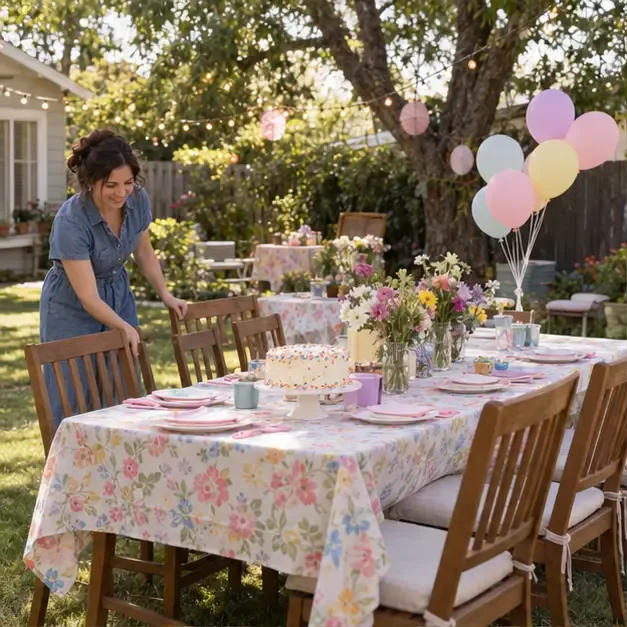
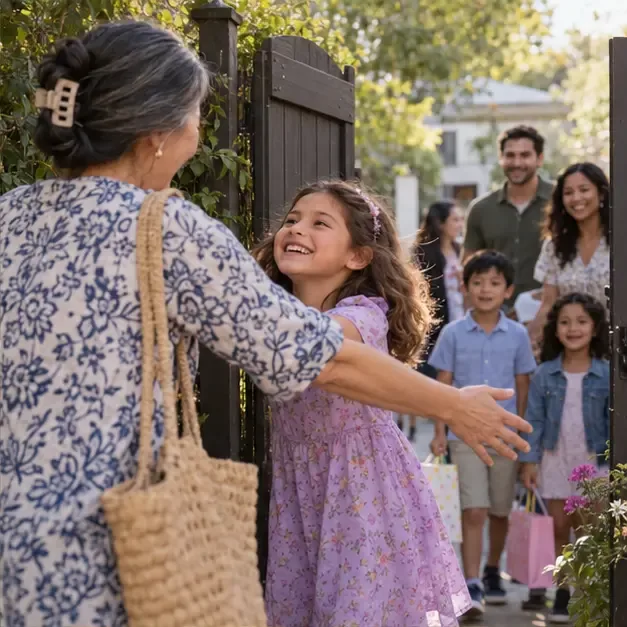
Start with a steady wide view of the room or yard, decorations, cake table, and a few personal details. Then record one or two greetings as people arrive: a hug, a wave, or Sophie spotting a relative at the gate. These clips give the finished video a beginning and help viewers understand who is there.
For variety, record one wide view, one medium view that shows people together, and a brief close view of a meaningful detail, such as the cake or handmade card. You do not need to film every decoration. Ask the host or family first if there are details they want included or anything they prefer not to show.
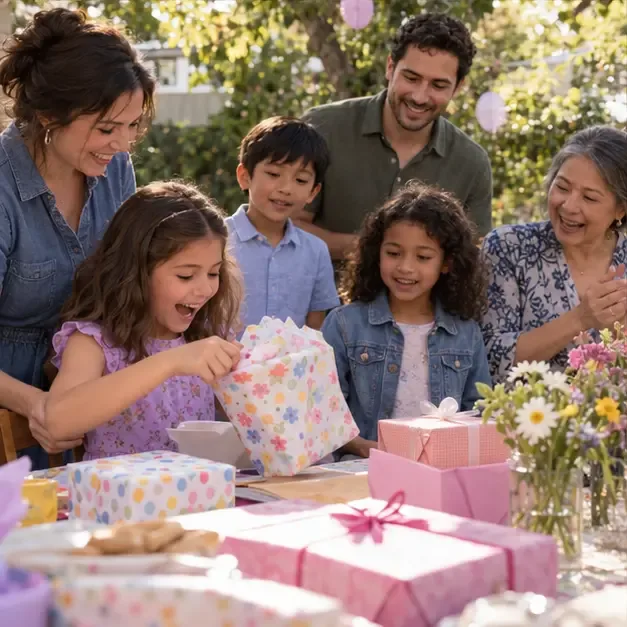
Choose one activity that feels characteristic of the day: a game, a craft, a dance, or opening a gift. For Sophie, the example is a gift-opening moment. Begin with a medium view that shows Sophie and the people nearby. Then capture a closer view of her reaction and a cutaway of family members smiling or laughing. The responses often tell as much of the story as the object being opened.
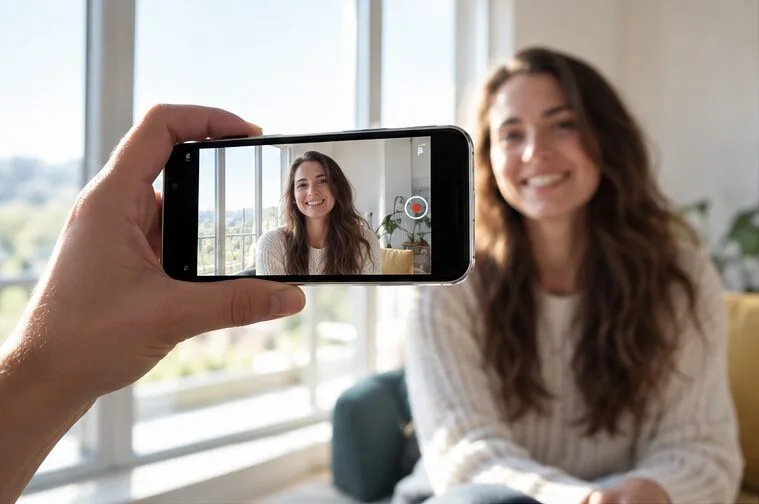
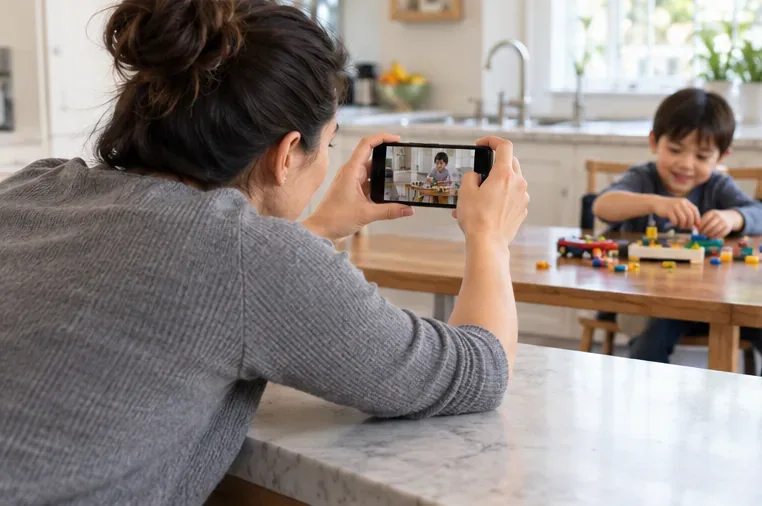
Hold the phone with both hands, brace your elbows, or rest against something stable. Nikon’s general video guidance recommends supporting the camera and using a tripod or other steadying support when appropriate. Move only when there is a reason; a fixed shot is often easier to watch than repeated panning. Avoid zooming while recording unless you have practiced it.
Keep this moment brief and considerate. Do not ask guests to repeat a spontaneous reaction just to get another take. If someone does not want to be filmed, leave them out of the frame and do not share their image without permission.
Before the cake comes out, check battery and storage, wipe the camera lens, and choose a place where you can see the birthday person without blocking guests. Start recording a little before the song begins so the lead-in is not cut off. Frame Sophie and the cake together, then stay still through the song, the wish, and the candles. If there is a second person available, ask them to capture the guests’ reactions from a nearby angle; one person cannot reliably get every close-up and the whole group at once.
Sound makes this clip especially meaningful. Do a quick test before the party and listen for whether voices are clear. Nikon’s audio tutorial recommends checking recording levels before filming; on a phone, the practical equivalent is to make a short test clip and play it back. Keep the microphone unobstructed, and stand close enough to hear the song while still including the scene. Background music or wind may overwhelm voices, so choose a quieter position if possible.
Do not use the camera flash close to someone’s face, especially a young child. Keep the camera at a comfortable distance, and let the family lead the timing of the candles and song.
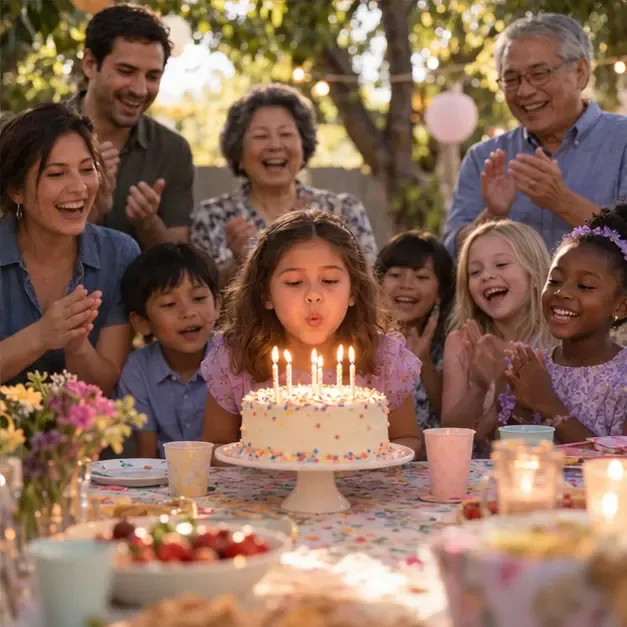
Once the candles are out, record one simple group shot while people are still gathered. Ask guests to look toward the camera for a few seconds, but keep it relaxed rather than turning the party into a long photo session. You can also capture a quick wave, a final laugh, or the guest of honor thanking everyone. That small closing clip gives the video a natural finish.
If the group is large, take a wide shot and a second, closer shot of the birthday person with the people closest to them. Check that faces are not hidden behind decorations and that no one is standing in an unsafe place to fit into the frame. After that, stop recording. A short, complete collection is easier to share and rewatch than hours of nearly identical footage.
In Sophie’s hypothetical party, the parent can check four things: the yard and greetings establish the day; the gift or game shows people interacting; the song and candles have clear sound; and the group clip provides an ending. Play back a few seconds from the cake clip to confirm that it recorded and that the sound is audible. If one essential moment is missing and it is still happening naturally, take one short clip. Do not stage a repeat just to make the list look complete.
The shot list is a safety net, not a rulebook. A birthday may have no cake, gifts, or group song, and some people prefer not to appear on camera. Replace any moment with something that matters to that celebration. The aim is to come away with a few clear clips that show the setting, the people, and the feeling of the day—without spending the whole birthday behind a screen.
Record smoother family videos without a gimbal using a steady grip, body bracing, stable surfaces, walking technique, and built-in phone stabilization.
Learn how deduplicating backups, snapshots, hashes, and restore tests can protect large videos while avoiding redundant copies.
Review faces, addresses, school clues, screens, audio, and location metadata before posting a family video. Compare blur, crop, mute, private sharing, and not posting.
Phone video brightness shifts usually come from auto-exposure, changing lenses, or flickering lights. Diagnose the cause and steady your next recording.
Learn how to reduce flicker and banding from household lights by matching frame rate and shutter speed, using camera controls, testing dimmers, and changing light sources.
Choose music for a home video by matching its license to your platforms, checking attribution and reuse terms, and saving proof before you post.
Find a practical camera height for craft demonstrations, compare overhead and angled views, and check framing, focus, and lighting so viewers can follow each step.
Learn why uploaded videos can look softer, how transcoding and playback quality affect detail, and what to check in processing, export settings, and your source file.
Capture more understandable speech when children move with closer microphone placement, a quieter setup, simple monitoring, and a clear playback check.
Learn how to film short recipe videos with hands-only framing, a clean background, careful audio, and a final privacy check before posting.